
Master Weldment Design in SolidWorks: From Structural Frames to Industry-Ready Fabrication
Modern mechanical and structural design relies heavily on welded frameworks. Industries such as automotive, construction, aerospace, heavy machinery, and industrial automation demand accurate weldment models that reduce fabrication errors and production costs. This is where SolidWorks Weldment Design Training becomes a critical skill.
SolidWorks provides powerful weldment tools that allow designers to create structural frames, apply standard profiles, generate cut lists, and prepare fabrication-ready drawings with speed and precision. Learning weldment design is not just about software knowledge. It is about understanding real-world manufacturing needs and translating them into intelligent 3D models.
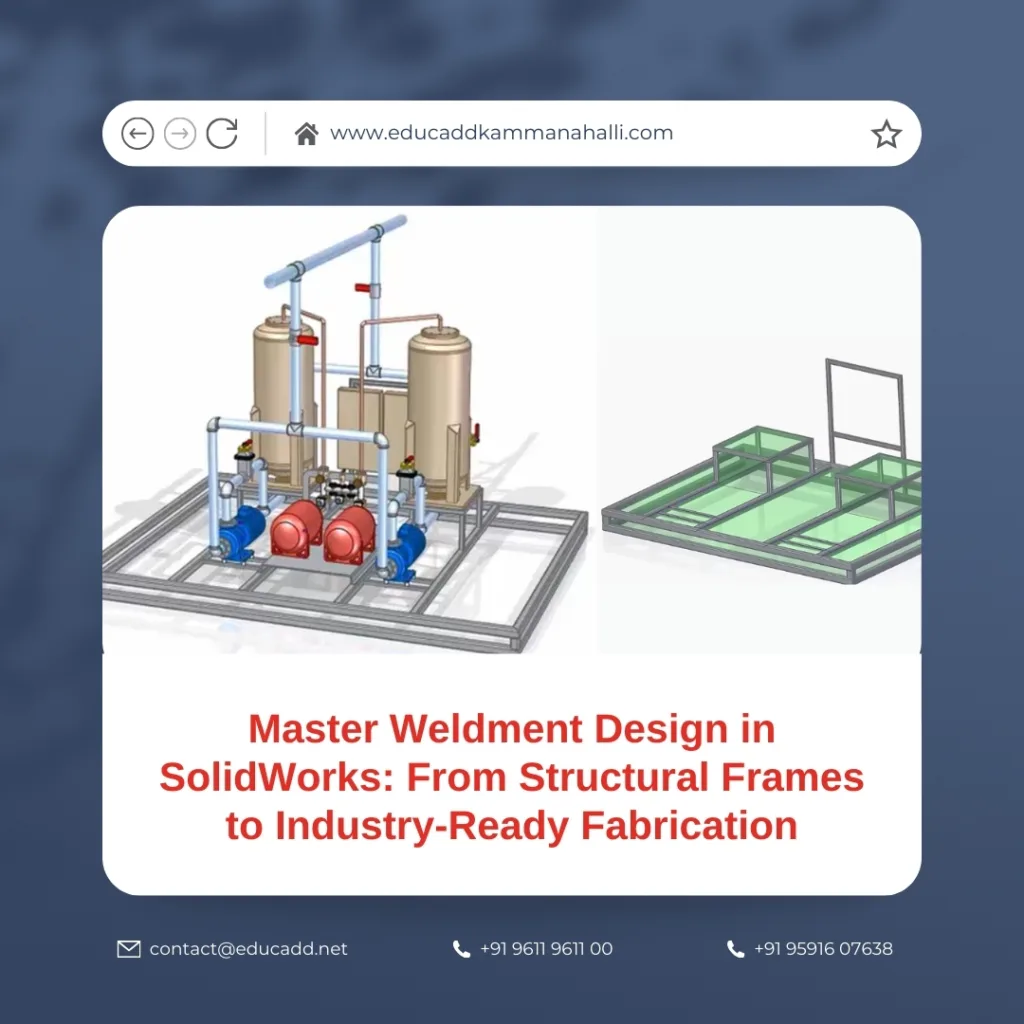
SolidWorks Weldment Design Training
This blog offers a deep, practical, and industry-oriented guide to learning weldment design in SolidWorks. It walks through concepts, workflows, tools, and best practices used by professionals across industries.
1. Understanding Weldment Design in SolidWorks
SolidWorks Weldment Design Training focuses on creating structural frameworks using standard profiles such as angles, channels, tubes, and beams. Unlike traditional part modeling, weldment design emphasizes multi-body parts that represent welded components.
SolidWorks allows designers to model an entire structure as a single part file. This approach improves design efficiency and simplifies downstream documentation. Each structural member remains editable while maintaining its identity within the overall framework.
Moreover, weldment features automatically generate cut lists. These lists help fabricators understand material lengths, quantities, and profiles. As a result, communication between design and manufacturing improves significantly.
2. Industries That Rely on Weldment Design
Many industries depend on accurate weldment modeling. Structural steel fabrication uses SolidWorks weldments for platforms, staircases, and support frames. The automotive industry applies weldment design for chassis components and fixtures.
Additionally, machine builders rely on weldment structures for enclosures, conveyor systems, and industrial equipment frames. Even renewable energy sectors use weldments for solar panel mounting systems and wind turbine structures.
Because of this wide application, professionals skilled in Weldment Design in SolidWorks enjoy strong demand and career stability across global markets.
3. Setting Up SolidWorks for Weldment Modeling
Before starting weldment design, proper software setup is essential. SolidWorks includes a built-in weldment library. Designers can access standard profiles such as ISO, ANSI, and DIN sections.
However, many companies use custom profiles. SolidWorks allows users to create and store custom weldment profiles easily. This ensures compliance with company standards and fabrication requirements.
Setting correct units, material libraries, and document properties at the beginning improves workflow efficiency. It also reduces errors during detailing and drawing creation.
4. Creating Structural Members Effectively
Structural members form the backbone of weldment design. SolidWorks enables designers to sketch a 2D or 3D skeleton and apply profiles along sketch segments.
The software intelligently handles corner treatments such as miters, trims, and butt joints. Designers can quickly modify alignment, rotation, and orientation of profiles.
This method ensures flexibility during design changes. When sketch geometry updates, the entire weldment adapts automatically. This capability saves significant time during revisions.
5. Managing Multi-Body Weldment Parts
One major advantage of Weldment Design in SolidWorks is the multi-body modeling approach. Each structural member exists as a separate body within a single part file.
This structure allows designers to isolate, suppress, or modify individual members without breaking the overall design. It also simplifies interference checks and weight calculations.
Multi-body modeling reduces the need for complex assemblies. As a result, performance improves, and file management becomes easier.
6. Applying Weldment Trims and Joints
Accurate joint representation is essential for fabrication accuracy. SolidWorks provides trim and extend tools that create clean intersections between structural members.
Designers can apply end miter trims, corner trims, and simple butt joints with precision. These tools reflect real-world welding practices used in fabrication shops.
Proper joint modeling ensures that cut lengths remain accurate. It also prevents costly errors during manufacturing.
7. Using Gussets, End Caps, and Weld Beads
Beyond structural members, weldment design includes additional features. Gussets strengthen joints and improve structural stability. SolidWorks allows quick insertion of gussets with customizable dimensions.
End caps close open profiles for safety and aesthetics. Weld beads visually represent welded joints and improve design clarity in drawings.
Although weld beads are cosmetic, they help stakeholders understand welding requirements clearly. This improves collaboration between designers and welders.
8. Creating and Managing Cut Lists
Cut lists represent one of the most powerful features of Weldment Design in SolidWorks. They automatically calculate lengths, quantities, and profile types for each structural member.
SolidWorks updates cut lists dynamically when changes occur. This ensures that fabrication data remains accurate throughout the design lifecycle.
Proper cut list management reduces material waste. It also speeds up procurement and fabrication planning.
9. Preparing Fabrication-Ready Drawings
Once the weldment model is complete, designers generate detailed drawings. SolidWorks allows direct creation of drawings from weldment parts.
Drawings include cut list tables, weld symbols, dimensions, and annotations. Designers can also create individual body drawings for fabrication clarity.
Clear drawings minimize shop floor confusion. They ensure that fabricators interpret designs correctly and efficiently.
10. Best Practices for Weldment Design Accuracy
Professional weldment designers follow best practices consistently. Clean sketches form the foundation of stable models. Simple geometry improves editability and reduces errors.
Designers should also name bodies clearly and organize features logically. This practice enhances collaboration within teams.
Additionally, validating designs with interference checks and mass properties ensures structural integrity before fabrication begins.
11. Advanced Weldment Design Techniques
Advanced users leverage configurations and design tables for variant management. This approach allows multiple size options within a single file.
Designers also integrate weldment parts into larger assemblies for system-level analysis. This helps identify fitment issues early in the design stage.
Using simulation tools alongside weldments further enhances design confidence and safety.
12. Common Mistakes to Avoid in Weldment Modeling
Many beginners over-complicate sketches. This leads to unstable models and longer rebuild times. Keeping sketches simple avoids such issues.
Another common mistake involves ignoring cut list updates. Designers must always verify cut lists before releasing drawings.
Avoiding improper trim settings also prevents fabrication inaccuracies and rework costs.
13. Career Benefits of Learning Weldment Design
Professionals skilled in Weldment Design in SolidWorks gain a competitive edge. Employers value designers who understand both modeling and manufacturing perspectives.
Weldment expertise opens roles in mechanical design, structural design, fabrication engineering, and automation design.
Furthermore, freelance and consulting opportunities increase for designers with strong weldment portfolios.
14. Learning Path to Master Weldment Design
A structured learning path accelerates skill development. Beginners should start with basic sketching and profile application.
Intermediate learners focus on cut lists, trims, and drawings. Advanced learners explore configurations, simulations, and large assemblies.
Hands-on projects play a crucial role in mastering weldment design. Real-world practice bridges the gap between theory and industry expectations.
Conclusion
Mastering SolidWorks Weldment Design Training empowers designers to create accurate, efficient, and fabrication-ready structures. It connects digital modeling with real-world manufacturing needs.
From structural frames to industrial machinery, weldment design plays a vital role across industries. Learning this skill improves design confidence, reduces errors, and enhances career growth.
By following structured workflows, best practices, and continuous practice, designers can build industry-ready expertise. Weldment design is not just a feature in SolidWorks. It is a powerful capability that transforms ideas into durable, real-world structures.

