
Structural Analysis Using ANSYS: A Complete Guide to Accurate Engineering Simulation
Structural Analysis Using ANSYS plays a critical role in modern engineering design. Whether engineers are building bridges, automobiles, aircraft components, or industrial machines, they must ensure that every structure can safely withstand loads and environmental conditions. Traditionally, physical testing was the primary method used to evaluate structural strength. However, with the advancement of simulation technologies, engineers can now analyze structural behavior digitally before manufacturing even begins.
One of the most widely used tools for this purpose is ANSYS, a powerful engineering simulation software that enables precise structural analysis through advanced computational methods. Structural Analysis Using ANSYS allows engineers to predict deformation, stress, strain, vibration, and fatigue behavior under different conditions. As a result, design errors can be minimized, product performance can be optimized, and development costs can be significantly reduced.
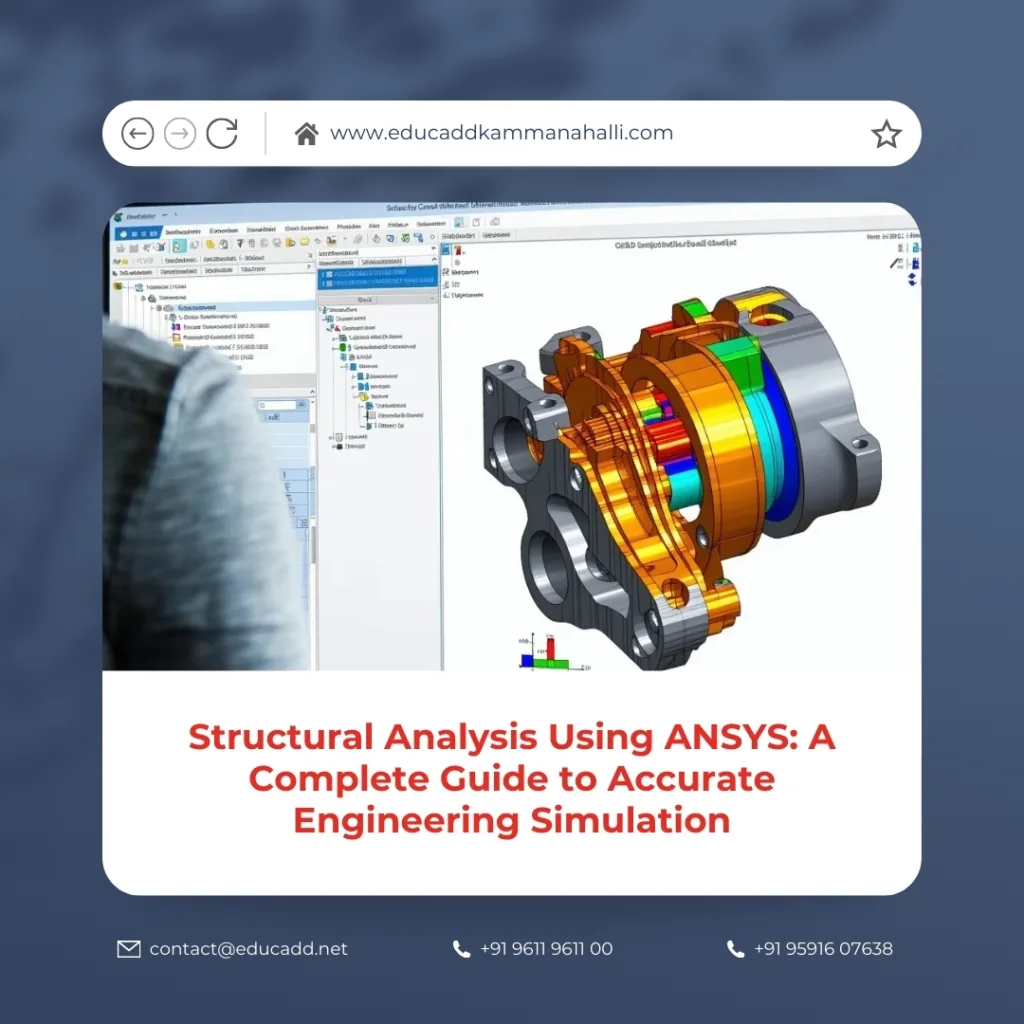
Structural Analysis Using ANSYS
This article explores the complete process of Structural Analysis Using ANSYS. It discusses its importance, workflow, types of analysis, modeling techniques, benefits, and practical applications across industries. By understanding how ANSYS simulation works, engineers and designers can develop safer and more efficient products while accelerating innovation.
Understanding Structural Analysis in Engineering
Structural Analysis Using ANSYS is the process of evaluating how a structure reacts to applied forces, loads, vibrations, temperature changes, and other physical conditions. Engineers use this analysis to determine whether a design can safely perform its intended function. If the structure fails under expected conditions, it can lead to catastrophic consequences such as mechanical breakdowns or infrastructure collapse.
Modern engineering projects require precise calculations and detailed simulations. Structural analysis helps engineers measure important parameters such as stress distribution, displacement, strain, and safety factors. When these parameters are analyzed early in the design phase, potential weaknesses can be identified and corrected before production begins.
ANSYS has become a preferred tool because it uses the Finite Element Method (FEM) to divide complex structures into smaller elements. Each element is analyzed mathematically, allowing engineers to simulate real-world behavior with remarkable accuracy. This capability enables engineers to visualize how materials respond to external forces and identify critical stress points within a design.
The Role of ANSYS in Structural Simulation
ANSYS is a comprehensive simulation platform that enables engineers to perform structural, thermal, fluid, and electromagnetic analysis. In structural engineering, ANSYS provides a robust environment where complex geometries and loading conditions can be studied efficiently.
Structural Analysis Using ANSYS begins with importing or creating a 3D model. Engineers then define material properties, apply loads and constraints, and generate a mesh. Once the simulation runs, ANSYS calculates how the structure behaves under those conditions. The results are presented through visual plots, charts, and numerical data that help engineers interpret performance.
The software is widely used because it offers powerful solvers, automation features, and user-friendly interfaces. Engineers can test multiple design variations quickly without building physical prototypes. As a result, the design process becomes faster, more accurate, and more cost-effective.
Another advantage of ANSYS is its ability to integrate with various CAD tools. Engineers can import models from design software and immediately begin simulation. This seamless integration enhances productivity and ensures that analysis remains closely connected with the design process.
Importance of Structural Analysis in Product Development
Structural Analysis Using ANSYS has become an essential step in modern product development. Every engineered product must meet strict safety standards and performance expectations. Structural simulation helps ensure that these requirements are satisfied before manufacturing begins.
Engineers rely on Structural Analysis Using ANSYS to identify weaknesses that may not be visible during the design stage. Stress concentrations, excessive deformation, or vibration issues can be detected through simulation and corrected before production. This proactive approach improves reliability and reduces the risk of product failure.
Another important benefit is cost reduction. Physical testing often requires multiple prototypes and expensive laboratory setups. Simulation eliminates many of these costs by allowing engineers to test designs digitally. As a result, companies can accelerate innovation while maintaining high quality standards.
Furthermore, structural analysis contributes to sustainable engineering. By optimizing material usage and reducing unnecessary weight, engineers can design products that are both efficient and environmentally friendly.
Key Features of ANSYS Structural Analysis
ANSYS provides several powerful tools that help engineers perform detailed structural simulations. These features make the software suitable for complex engineering projects across multiple industries.
Some of the most valuable features include:
-
Advanced finite element modeling for accurate stress and deformation analysis
-
High-performance solvers that handle large and complex simulations efficiently
These capabilities allow engineers to analyze different structural behaviors such as static loads, dynamic forces, and fatigue conditions. By leveraging these features, designers can create more reliable and optimized products.
Another important capability is result visualization. ANSYS presents simulation outputs in the form of color-coded stress plots, displacement maps, and animation sequences. These visual representations make it easier for engineers to understand how a structure behaves under load and identify critical areas that require design improvements.
Types of Structural Analysis Performed in ANSYS
Structural Analysis Using ANSYS includes several types of simulations, each designed to study different structural behaviors. Engineers select the appropriate analysis type depending on the design requirements and operating conditions.
Static structural analysis evaluates how structures behave under constant loads such as gravity, pressure, or mechanical forces. This type of analysis helps determine stress distribution and deformation in components.
Dynamic analysis examines how structures respond to time-dependent forces. These forces may include vibrations, impacts, or oscillating loads. Dynamic simulations are essential for products such as vehicles, turbines, and industrial machinery.
Another common method is fatigue analysis. This analysis predicts how repeated loading cycles affect a structure over time. By studying fatigue behavior, engineers can estimate product lifespan and prevent premature failure.
Thermal-structural analysis is also widely used. It evaluates how temperature changes affect structural performance. Many materials expand or contract when exposed to heat, and ANSYS simulations help engineers understand these effects accurately.
The Finite Element Method in ANSYS
The Finite Element Method (FEM) is the mathematical foundation behind Structural Analysis Using ANSYS. FEM divides a complex structure into smaller elements connected by nodes. Each element behaves according to physical equations that describe stress, strain, and displacement.
When a load is applied to the model, the solver calculates how each element responds. These responses are then combined to predict the behavior of the entire structure. The accuracy of the analysis depends on the quality of the mesh and the correct definition of material properties.
One of the strengths of FEM is its ability to handle complex geometries that would be difficult to analyze using traditional analytical methods. Engineers can simulate irregular shapes, multi-material assemblies, and intricate mechanical components with ease.
Through FEM, ANSYS provides engineers with detailed insights into structural performance. This approach allows engineers to optimize designs and improve safety without relying solely on physical testing.
Modeling and Geometry Preparation in ANSYS
Before a simulation begins, engineers must prepare a clean and accurate geometry model. This model represents the physical structure that will be analyzed. Geometry preparation is an important step because small modeling errors can affect simulation accuracy.
ANSYS supports direct modeling and CAD integration, allowing engineers to import designs from common CAD platforms. Once imported, the geometry can be simplified to remove unnecessary details that do not influence structural behavior. Simplifying the model reduces computational effort and speeds up simulation time.
Engineers also define material properties at this stage. Parameters such as elasticity, density, and Poisson’s ratio determine how the structure responds to loads. Accurate material data is essential for obtaining reliable results from the simulation.
Another important task is defining contacts between components. Assemblies often include multiple parts interacting with each other. Proper contact definitions ensure that the simulation reflects realistic mechanical behavior.
Meshing: The Core Step in Structural Analysis
Meshing is one of the most critical steps in Structural Analysis Using ANSYS. During meshing, the software divides the geometry into small finite elements that can be solved mathematically.
A well-defined mesh ensures accurate simulation results. If the mesh is too coarse, important stress variations may not be captured. On the other hand, an excessively fine mesh may increase computation time without providing significant benefits.
Engineers often refine the mesh in areas where stress concentrations are expected. For example, sharp corners, holes, and joints typically experience higher stress levels. Local mesh refinement helps capture these effects more accurately.
Meshing strategies may include tetrahedral elements, hexahedral elements, or hybrid combinations. The choice depends on the complexity of the geometry and the type of analysis being performed. ANSYS provides automated meshing tools that help engineers generate high-quality meshes efficiently.
Applying Loads and Boundary Conditions
For a simulation to produce meaningful results, engineers must apply realistic loads and boundary conditions. Loads represent external forces acting on the structure, while boundary conditions define how the structure is constrained or supported.
Common loads used in ANSYS simulations include pressure, gravity, torque, and thermal loads. Engineers carefully define these forces to replicate real-world operating conditions.
Typical boundary conditions include fixed supports, frictionless contacts, and displacement constraints. These conditions ensure that the structure behaves realistically within the simulation environment.
Accurate definition of loads and constraints is essential for reliable structural analysis. If these conditions are unrealistic, the simulation results may not reflect actual performance. Therefore, engineers must carefully evaluate the operational environment of the structure before setting up the analysis.
Solving and Running the Simulation
Once the model, mesh, loads, and boundary conditions are defined, the simulation is ready to run. During the solving stage, ANSYS performs complex numerical calculations to determine how the structure behaves under the applied conditions.
The solver processes thousands or even millions of equations simultaneously. High-performance computing capabilities enable ANSYS to handle large models efficiently. Engineers can also perform parametric studies by running multiple simulations with different variables.
Simulation time depends on factors such as model complexity, mesh density, and analysis type. However, ANSYS is designed to optimize computational efficiency while maintaining accuracy.
During the solving process, engineers monitor convergence criteria to ensure that the solution reaches a stable and accurate result. Once convergence is achieved, the simulation results become available for interpretation.
Interpreting Simulation Results
After the simulation is completed, engineers analyze the results generated by ANSYS. These results provide detailed insights into the structural performance of the design.
Common result outputs include stress contours, deformation plots, strain distributions, and safety factors. Engineers study these results to identify areas that may experience excessive stress or displacement.
ANSYS also provides animation tools that demonstrate how a structure deforms under load. These visualizations help engineers better understand the behavior of complex components and assemblies.
Important insights obtained from simulation results include:
-
Identification of critical stress locations that may cause structural failure
-
Evaluation of deformation patterns under different loading conditions
By analyzing these outputs, engineers can refine their designs and improve structural performance before manufacturing begins.
Industrial Applications of Structural Analysis Using ANSYS
Structural Analysis Using ANSYS is widely used across many engineering industries. The software helps engineers design safer, stronger, and more efficient products.
In the automotive industry, ANSYS simulations are used to analyze vehicle frames, suspension systems, and crash performance. Engineers ensure that vehicles can withstand impact forces while maintaining passenger safety.
In the aerospace sector, structural simulations evaluate aircraft components such as wings, fuselages, and landing gear. These components must endure extreme loads and environmental conditions during flight.
Civil engineering projects also rely heavily on structural analysis. Bridges, buildings, and infrastructure systems are simulated to ensure they can withstand wind, earthquakes, and heavy loads.
Other industries that benefit from ANSYS simulations include manufacturing, energy, marine engineering, and biomedical device development. The ability to test designs digitally allows organizations to innovate faster while maintaining high safety standards.
Advantages of Using ANSYS for Structural Analysis
ANSYS offers numerous advantages that make it one of the most trusted engineering simulation platforms in the world. Its advanced capabilities enable engineers to perform accurate and efficient structural analysis.
One major advantage is the reduction of product development time. Engineers can test multiple design concepts through simulation without building physical prototypes. This approach accelerates innovation and reduces development costs.
Another advantage is improved product reliability. By identifying structural weaknesses early, engineers can prevent failures and improve overall performance. Simulation also supports compliance with safety standards and regulatory requirements.
ANSYS provides scalability for both small and large engineering projects. From simple component analysis to complex multi-physics simulations, the platform can handle a wide range of engineering challenges.
The software also supports collaboration among engineering teams. Designers, analysts, and project managers can share simulation results and work together to optimize product designs effectively.
Best Practices for Effective ANSYS Structural Simulation
To achieve reliable results in Structural Analysis Using ANSYS, engineers must follow certain best practices. Proper simulation setup ensures that results are both accurate and meaningful.
Engineers should begin by verifying the geometry and removing unnecessary features that may complicate the mesh. Clean geometry improves computational efficiency and prevents simulation errors.
Material properties must be defined accurately based on real-world data. Incorrect material parameters can significantly affect simulation outcomes. Engineers should also validate mesh quality and refine critical areas where stress concentrations are expected.
Another important practice is result validation. Simulation results should be compared with theoretical calculations or experimental data whenever possible. Validation ensures that the analysis accurately represents real-world behavior.
Continuous learning and experience also play an important role in effective simulation. As engineers gain more experience with ANSYS tools, they become better equipped to interpret results and optimize designs.
Conclusion
Structural Analysis Using ANSYS has transformed the way engineers design and evaluate products. By combining advanced computational techniques with powerful simulation tools, ANSYS enables engineers to analyze structural behavior with exceptional accuracy. From stress evaluation to fatigue prediction, the software provides detailed insights that help improve product safety and performance.
Through digital simulation, engineers can identify potential structural issues early in the design process. This proactive approach reduces development costs, shortens product cycles, and enhances overall reliability. Industries ranging from automotive and aerospace to civil engineering rely on ANSYS simulations to design structures that meet strict performance standards.
As engineering challenges continue to grow in complexity, simulation technology will become even more essential. Structural Analysis Using ANSYS empowers engineers to innovate confidently while ensuring that designs remain strong, safe, and efficient in real-world conditions.

