
Mastering Work Breakdown Structure (WBS) Creation in Primavera for Powerful Project Control
Project success depends on clarity, structure, and control. Every large project begins with a clear roadmap that divides complex work into manageable sections. Without structure, teams lose focus, timelines slip, and costs increase. This is where Primavera WBS Project Control becomes essential. Primavera offers a powerful environment to plan, organize, and monitor projects through a well-defined WBS.
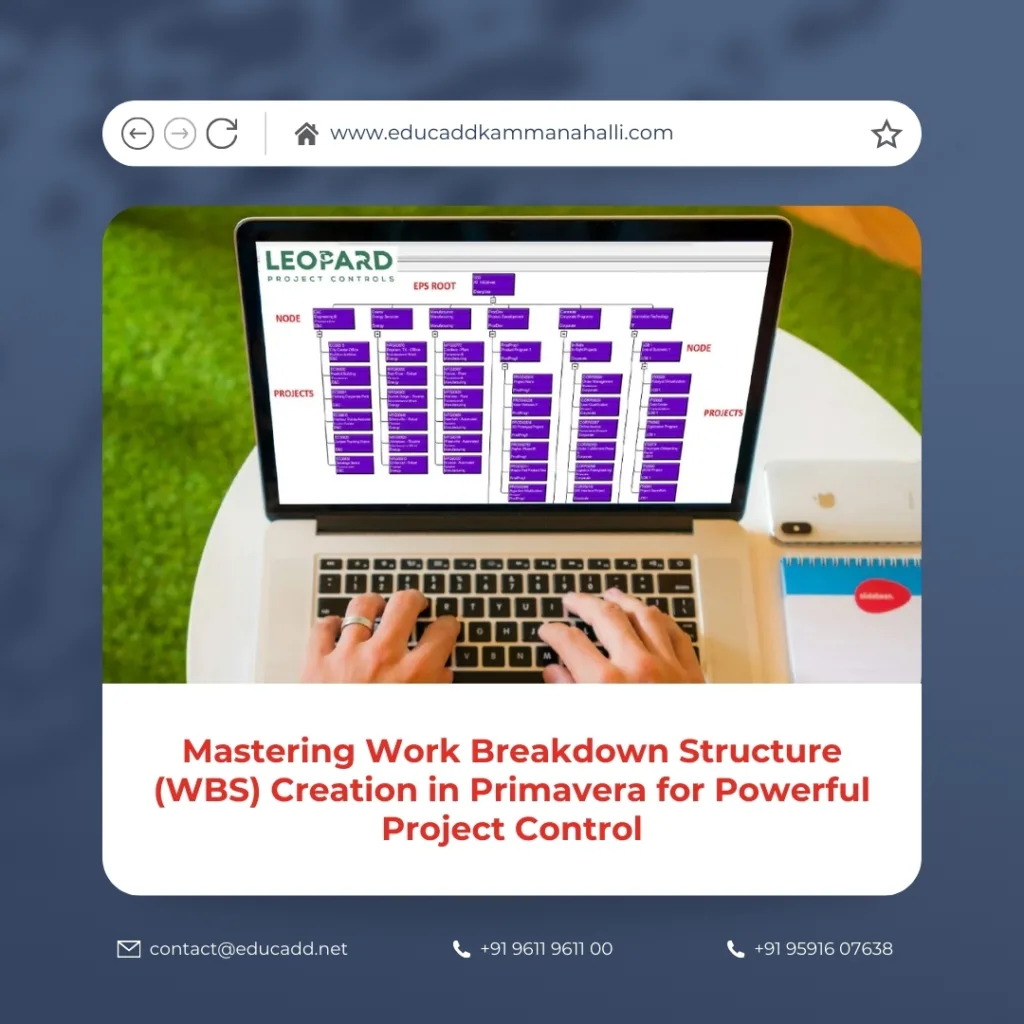
Primavera WBS Project Control
When you build a proper WBS in Primavera, you create the backbone of your schedule. It connects scope, activities, cost, and reporting into one organized framework. Moreover, it improves visibility across departments and helps project managers track performance with confidence. In this comprehensive guide, you will learn how to approach Work Breakdown Structure (WBS) Creation in Primavera strategically, practically, and professionally.
1. Understanding the Concept of Work Breakdown Structure (WBS)
A Primavera WBS Project Control is a hierarchical decomposition of project scope into smaller, manageable components. It breaks the total project work into structured levels that represent deliverables and major phases. Instead of focusing on activities first, a WBS focuses on outcomes.
In Primavera, the WBS acts as the structural framework of the project schedule. Each activity must belong to a WBS element. Therefore, Work Breakdown Structure (WBS) Creation in Primavera determines how effectively you manage and report your project.
A well-defined WBS ensures:
-
Clear scope definition
-
Better cost tracking
-
Improved responsibility assignment
-
Simplified reporting
-
Strong project control
When you organize a project through logical WBS levels, you create alignment between planning and execution.
2. Why Work Breakdown Structure (WBS) Creation in Primavera Is Critical
Many project managers jump directly into activity creation. However, without a structured WBS, the schedule becomes confusing. Primavera uses the WBS to categorize, summarize, and analyze project data.
Primavera WBS Project Control provides clarity. It allows managers to view progress at different hierarchy levels. For example, you can analyze performance at the project level, phase level, or discipline level.
Additionally, Primavera calculates roll-up data such as:
-
Total cost
-
Duration
-
Earned value metrics
-
Resource distribution
Therefore, a strong WBS directly improves decision-making and forecasting.
3. Key Principles Before Creating WBS in Primavera
Before starting Work Breakdown Structure (WBS) Creation in Primavera, define the project scope clearly. Scope drives structure. If scope lacks clarity, the WBS will fail.
Follow these guiding principles:
-
Structure based on deliverables
-
Maintain logical hierarchy
-
Keep levels balanced
-
Avoid overcomplication
-
Align with stakeholder expectations
Furthermore, ensure that each WBS level represents measurable outcomes. Avoid mixing activities and WBS elements. The WBS defines “what” must be delivered, while activities define “how” it will be completed.
This distinction strengthens project control.
4. Step-by-Step Process of Work Breakdown Structure (WBS) Creation in Primavera
Now let us examine the practical steps involved in Work Breakdown Structure (WBS) Creation in Primavera.
Step 1: Open the Project
Launch Primavera P6 and select the desired project from the Enterprise Project Structure.
Step 2: Navigate to WBS Window
Go to the Project tab and open the WBS section. This is where you will build your hierarchy.
Step 3: Create the Top-Level WBS
The project itself forms the highest level. You can rename it if required.
Step 4: Add Child WBS Elements
Click “Add” to create sub-level WBS elements. Define major phases such as Design, Procurement, Construction, and Commissioning.
Step 5: Define Lower-Level Elements
Break each phase into more detailed components such as structural works, electrical works, and mechanical works.
Step 6: Assign WBS Codes
Use structured coding for better sorting and reporting.
Through systematic Work Breakdown Structure (WBS) Creation in Primavera, you establish the project backbone before adding activities.
5. Structuring WBS Levels Effectively
An effective WBS normally includes three to five levels. Too few levels reduce control. Too many levels increase complexity.
In Primavera, Work Breakdown Structure (WBS) Creation in Primavera works best when:
-
Level 1: Project Name
-
Level 2: Major Phases
-
Level 3: Sub-Phases
-
Level 4: Deliverables
For example, in a building project:
Level 1 – Commercial Complex
Level 2 – Construction
Level 3 – Civil Works
Level 4 – Foundation
This structured layering improves visibility and simplifies progress reporting.
6. WBS Coding and Naming Conventions
Consistency matters in professional scheduling. During Primavera WBS Project Control, establish a standard coding system.
For example:
-
1.0 Design
-
2.0 Procurement
-
3.0 Construction
-
3.1 Civil
-
3.2 Electrical
Logical naming enhances communication across teams. Moreover, it simplifies filtering and grouping within Primavera reports.
Clear naming reduces confusion during large-scale projects.
7. Linking WBS with Organizational Responsibility
One major advantage of Work Breakdown Structure (WBS) Creation in Primavera is integration with Organizational Breakdown Structure (OBS).
You can assign responsible managers to each WBS element. This creates accountability.
For example:
-
Civil Works – Civil Manager
-
Electrical Works – Electrical Manager
This approach improves ownership. It also strengthens performance tracking across departments.
8. Integrating WBS with Cost Management
Primavera allows cost loading at the activity level. However, cost summaries roll up to the WBS level. Therefore, Work Breakdown Structure (WBS) Creation in Primavera directly influences cost analysis.
A structured WBS enables:
-
Budget tracking per phase
-
Earned Value Management
-
Cost variance analysis
-
Forecasting accuracy
Without a proper WBS, financial control becomes weak.
9. Resource Planning Through WBS
Resources represent manpower, equipment, and materials. When you organize activities under a structured WBS, Primavera provides clear resource distribution reports.
During Work Breakdown Structure (WBS) Creation in Primavera, group activities logically so resource analysis becomes meaningful.
For example:
-
All mechanical activities under one WBS
-
All electrical activities under another
This clarity helps in manpower planning and avoids resource conflicts.
10. Reporting and Monitoring Using WBS
Reporting becomes simple when your structure is strong. Primavera allows grouping by WBS.
Through effective Work Breakdown Structure (WBS) Creation in Primavera, managers can generate:
-
Phase-wise progress reports
-
Cost performance reports
-
Schedule variance summaries
-
Earned value dashboards
This improves stakeholder communication and decision-making speed.
11. Common Mistakes to Avoid in WBS Creation
Many professionals make structural errors. Avoid these during Work Breakdown Structure (WBS) Creation in Primavera:
-
Creating too many levels
-
Mixing tasks with deliverables
-
Ignoring coding standards
-
Overlapping scope
-
Skipping stakeholder input
A clean and logical structure saves time later.
12. Advanced Techniques in Primavera WBS Creation
Experienced planners apply advanced strategies in Work Breakdown Structure (WBS) Creation in Primavera.
These include:
-
Template-based WBS creation
-
Standardized corporate structures
-
Phase-based budgeting alignment
-
Multi-project structure alignment
Templates save time and maintain consistency across projects.
13. Real-World Application Example
Consider a highway construction project. The WBS may include:
Level 1 – Highway Project
Level 2 – Pre-Construction
Level 2 – Construction
Level 3 – Earthworks
Level 3 – Pavement
Level 3 – Drainage
When planners apply Work Breakdown Structure (WBS) Creation in Primavera properly, they monitor progress phase by phase. If earthwork falls behind schedule, managers identify the delay instantly.
This practical application shows how structure improves control.
14. Best Practices for Long-Term Project Success
To master Work Breakdown Structure (WBS) Creation in Primavera, follow these best practices:
-
Align WBS with contract structure
-
Review structure with stakeholders
-
Keep hierarchy balanced
-
Maintain consistency across revisions
-
Document WBS guidelines
Regular review ensures your structure stays relevant throughout the project lifecycle.
Conclusion
A project without structure struggles to achieve clarity and control. Primavera WBS Project Control forms the foundation of professional project planning. It transforms complex scope into organized, measurable components.
When you design a logical WBS, you improve scheduling accuracy, cost control, resource allocation, and reporting efficiency. Moreover, you create transparency for stakeholders and accountability for teams.
Primavera provides powerful tools, but success depends on how you structure your WBS. Therefore, invest time in planning before creating activities. Build a clean hierarchy, apply coding standards, and align structure with project goals.
By mastering Work Breakdown Structure (WBS) Creation in Primavera, you gain full command over your project schedule and ensure long-term success in construction and infrastructure management.

