
Electrical Panel Design Using AutoCAD Electrical: The Smart Approach to Accurate and Efficient Control Systems
AutoCAD Electrical Panel Design play a crucial role in industrial, commercial, and residential electrical systems. They serve as the central hub where power distribution, protection devices, and control systems work together to ensure safe and efficient operation. Designing these panels requires precision, clear documentation, and careful planning. In the past, engineers and designers relied heavily on manual drafting methods, which consumed time and often resulted in design errors, inconsistencies, and difficulty in modifying drawings.
Modern electrical engineering demands faster workflows and higher accuracy. Industries now expect designs that can be updated quickly, documented clearly, and shared easily across teams. This is where digital design tools have become essential. One of the most powerful tools used by electrical engineers and panel designers today is AutoCAD Electrical Panel Design. This specialized software allows professionals to create intelligent electrical schematics, automate repetitive tasks, and maintain consistent design standards.
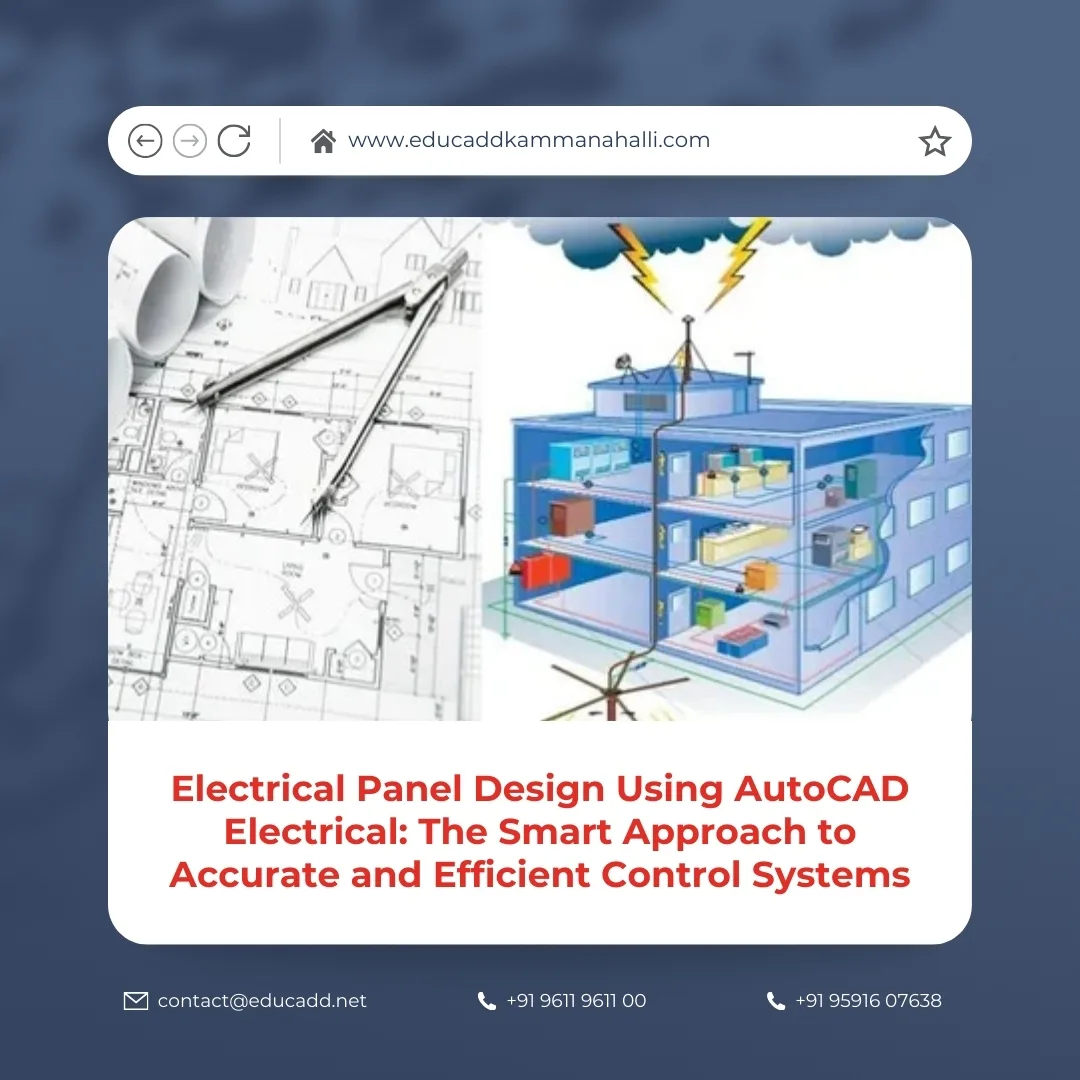
AutoCAD Electrical Panel Design
Electrical panel design using AutoCAD Electrical Panel Design simplifies the entire design process, from schematic creation to panel layout and documentation. Designers can use built-in electrical symbols, automated wire numbering, and real-time error checking to reduce mistakes and improve productivity. As a result, companies can complete projects faster while maintaining high levels of accuracy.
This article explores how electrical panel design using AutoCAD Electrical improves the design process. It discusses the workflow, tools, advantages, and practical applications that make this software essential for modern electrical panel design.
Understanding the Importance of Electrical Panel Design
Electrical panels act as the control center of electrical systems. They house important components such as circuit breakers, contactors, relays, terminal blocks, and control devices. These components manage power distribution, protect equipment, and ensure safe operation of electrical systems.
A well-designed panel ensures that electrical equipment functions efficiently and safely. Poor panel design can lead to wiring confusion, overheating, maintenance difficulties, and system failures. Therefore, engineers must focus on proper component placement, wiring routes, and clear labeling when creating panel designs.
Electrical panel design also plays a major role in troubleshooting and maintenance. When electricians or technicians need to inspect or repair a system, clear panel documentation helps them understand the circuit quickly. If drawings are incomplete or inaccurate, maintenance becomes difficult and time-consuming.
Modern industries require electrical panels that meet safety regulations, industry standards, and operational efficiency. Designers must create layouts that optimize space, ensure proper ventilation, and maintain safe distances between components. Achieving these goals becomes easier when designers use advanced design tools.
Electrical panel design using AutoCAD Electrical allows engineers to create structured, well-documented designs that improve system reliability and simplify installation and maintenance.
What is AutoCAD Electrical?
AutoCAD Electrical is a specialized version of AutoCAD developed specifically for electrical control system design. While standard AutoCAD focuses on general drafting, AutoCAD Electrical Panel Design includes tools that support electrical engineering tasks.
The software provides a large library of electrical symbols that follow international standards. Designers can easily insert components such as switches, relays, motors, and sensors into schematics without drawing them manually. This feature saves significant time and ensures consistency across projects.
Another key feature of AutoCAD Electrical is intelligent wiring and circuit management. The software automatically numbers wires, tracks connections, and identifies errors in the circuit design. These automated functions help designers avoid mistakes that may occur in manual drafting.
AutoCAD Electrical also supports panel layout design. Designers can create panel footprints, arrange components, and generate detailed panel layouts that match the schematic drawings. This integration ensures that electrical diagrams and physical panel layouts remain synchronized.
Electrical panel design using AutoCAD Electrical also improves documentation. The software can automatically generate reports such as bill of materials, wire lists, and terminal plans. These reports simplify manufacturing, installation, and maintenance processes.
Key Features That Improve Electrical Panel Design
AutoCAD Electrical includes several powerful features that streamline panel design and improve productivity. These features help engineers create accurate drawings and maintain consistency throughout the design process.
One of the most useful features is the extensive electrical symbol library. Designers can access thousands of pre-built symbols that follow global electrical standards. This library eliminates the need to create symbols from scratch and ensures uniformity in drawings.
Automated wire numbering is another valuable feature. When designers connect components in a schematic, the software assigns wire numbers automatically. This process reduces manual effort and prevents numbering errors.
Real-time error checking also enhances design accuracy. AutoCAD Electrical scans the drawing and alerts the designer if it detects missing components, duplicate wire numbers, or incorrect connections. These warnings allow designers to fix issues before finalizing the design.
Another feature that supports efficient panel design is automated cross-referencing. The software links components across multiple drawings and pages. When designers update a component, the system updates all related references automatically.
Electrical panel design using AutoCAD Electrical benefits greatly from these intelligent features because they reduce repetitive work and increase design reliability.
Creating Electrical Schematics Efficiently
Electrical schematics form the foundation of panel design. They represent the logical connections between electrical components and control devices. Accurate schematics ensure that the final panel operates correctly.
Designers start by selecting the required components from the symbol library. They then place these symbols into the schematic drawing and connect them using intelligent wiring tools. The software maintains connection integrity and prevents incorrect wiring.
AutoCAD Electrical also simplifies circuit duplication. If a project contains similar circuits, designers can copy existing circuits instead of recreating them. This approach speeds up the design process and ensures consistency across panels.
Another advantage is automatic component tagging. Each component receives a unique identifier, which helps technicians locate the device in the panel layout and documentation.
Electrical panel design using AutoCAD Electrical ensures that schematics remain organized, readable, and easy to modify. These clear schematics form the basis for creating accurate panel layouts.
Designing Panel Layouts with Precision
Once the schematic design is complete, the next step involves creating the physical panel layout. This layout shows how electrical components are arranged inside the panel enclosure.
Panel layout design requires careful planning. Designers must consider space utilization, component accessibility, heat dissipation, and wiring routes. A well-organized layout improves panel performance and simplifies maintenance.
AutoCAD Electrical provides tools that allow designers to create accurate panel footprints. Designers can place components based on real dimensions and maintain correct spacing between devices.
The software also allows users to align components automatically. This feature helps create clean, professional layouts that follow industry standards.
Electrical panel design using AutoCAD Electrical ensures that panel layouts remain consistent with schematic diagrams. Designers can quickly identify components and confirm that every connection matches the schematic.
This integration between schematic design and panel layout reduces confusion during manufacturing and installation.
Managing Wires and Connections Effectively
Wiring plays a critical role in electrical panel functionality. Proper wire management ensures reliable connections, safe operation, and easy maintenance.
In manual drafting systems, wire numbering and labeling require significant effort. Designers often need to track connections across multiple drawings, which increases the risk of errors.
AutoCAD Electrical simplifies wire management through automated tools. The software automatically assigns wire numbers and tracks connections throughout the schematic. If a designer modifies a connection, the software updates wire information instantly.
Another helpful feature is wire list generation. Designers can create reports that list all wires used in the panel, including their numbers, start points, and end points.
Electrical panel design using AutoCAD Electrical ensures that wiring documentation remains accurate and easy to understand. This clarity helps technicians during installation and troubleshooting.
Improving Design Accuracy and Reducing Errors
Accuracy remains one of the most important aspects of electrical panel design. Even small mistakes can lead to serious operational problems or safety hazards.
AutoCAD Electrical includes several tools that help designers detect and eliminate errors early in the design process. The software checks for duplicate wire numbers, missing components, and incorrect references.
These automatic checks improve design reliability and reduce the need for manual verification. Designers can focus more on optimizing the system instead of searching for drafting errors.
Another factor that improves accuracy is standardized component usage. Since the software provides pre-built electrical symbols, designers maintain consistent drawings throughout the project.
Electrical panel design using AutoCAD Electrical minimizes human errors and ensures that final designs meet engineering standards.
Enhancing Collaboration Between Engineering Teams
AutoCAD Electrical Panel Design often involves collaboration between multiple teams, including electrical engineers, mechanical designers, project managers, and manufacturing staff.
Clear documentation and standardized drawings help teams communicate effectively. When design information is organized and easy to understand, project coordination improves significantly.
AutoCAD Electrical allows designers to manage projects that contain multiple drawings. Team members can access these drawings and update them as needed.
The software also supports version control and structured project organization. This approach prevents confusion and ensures that all team members work with the latest design files.
Electrical panel design using AutoCAD Electrical improves collaboration by providing clear, consistent, and easily shareable design documentation.
Generating Automated Reports and Documentation
Documentation is an essential part of electrical panel design. Manufacturers, installers, and maintenance technicians rely on accurate documentation to build and operate electrical systems.
Manual documentation processes often consume time and may lead to inconsistencies. AutoCAD Electrical simplifies this task by generating automated reports directly from the design.
Designers can create several types of reports, including bill of materials, wire lists, component lists, and terminal plans. These reports update automatically whenever the design changes.
This automation ensures that documentation always reflects the latest design information. It also reduces the time required to prepare project documentation.
Electrical panel design using AutoCAD Electrical improves efficiency by transforming design data into useful reports that support manufacturing and maintenance.
Supporting Industry Standards and Compliance
Electrical panel designs must follow strict industry standards and safety regulations. These standards ensure that electrical systems operate safely and reliably.
AutoCAD Electrical supports many international electrical standards. Designers can use standardized symbols, naming conventions, and documentation formats that comply with industry guidelines.
Standard compliance also improves design consistency across projects. Companies can establish internal standards that guide designers when creating electrical schematics and panel layouts.
Electrical panel design using AutoCAD Electrical helps organizations maintain compliance with safety regulations and engineering best practices.
Increasing Productivity in Electrical Design Projects
Productivity plays a key role in modern engineering environments. Companies must complete projects quickly while maintaining high design quality.
AutoCAD Electrical improves productivity by automating repetitive design tasks. Designers can insert symbols quickly, generate wire numbers automatically, and create reports without manual calculations.
Circuit reuse features also save time when projects contain similar designs. Instead of redrawing circuits, designers can reuse existing templates.
These automation capabilities allow engineers to focus on system optimization and innovation rather than routine drafting work.
Electrical panel design using AutoCAD Electrical significantly reduces design time and improves overall project efficiency.
Applications of Electrical Panel Design in Various Industries
Electrical panels appear in almost every industry that uses electrical equipment. Manufacturing plants rely on control panels to operate machinery and production lines.
Commercial buildings use electrical panels to distribute power and manage lighting, HVAC systems, and safety devices. Energy industries also depend on electrical panels to control power generation and distribution systems.
Automation systems require complex control panels that integrate sensors, controllers, and actuators. Designing these panels requires precise documentation and accurate wiring diagrams.
Electrical panel design using AutoCAD Electrical supports these industries by providing tools that simplify complex control system design.
As industries continue to adopt automation and smart technologies, the demand for efficient panel design solutions will continue to grow.
Future Trends in Electrical Panel Design
Electrical engineering continues to evolve with advancements in digital technology and automation. Modern design tools are becoming more integrated, intelligent, and collaborative.
Future developments may include deeper integration with 3D design software, simulation tools, and industrial automation platforms. These integrations will allow engineers to test electrical systems before manufacturing.
Cloud-based collaboration will also improve design workflows. Teams located in different regions will be able to work on the same projects in real time.
Electrical panel design using AutoCAD Electrical will likely continue evolving to support these technological trends. The software will remain an important tool for engineers who design modern electrical control systems.
Conclusion
AutoCAD Electrical Panel Design requires precision, organization, and clear documentation. Engineers must create accurate schematics, efficient panel layouts, and detailed wiring diagrams to ensure reliable system performance. Traditional drafting methods often slow down the design process and increase the risk of errors.
Modern design tools have transformed the way electrical engineers approach panel design. AutoCAD Electrical provides intelligent features that automate repetitive tasks, maintain design consistency, and generate detailed documentation.
Electrical panel design using AutoCAD Electrical improves productivity, enhances accuracy, and supports effective collaboration among engineering teams. Designers can create professional electrical schematics, manage wiring information, and produce organized panel layouts that meet industry standards.
As industries continue adopting automation and advanced technologies, the need for efficient electrical design tools will only increase. AutoCAD Electrical offers the capabilities needed to meet these demands while ensuring safe and reliable electrical panel systems.
By integrating intelligent design tools with engineering expertise, organizations can deliver high-quality electrical panels that support modern industrial operations and future technological growth.

