
3D Scanning to CAD Workflow Explained: Transforming Real-World Objects into Accurate Digital Designs
Modern engineering and manufacturing industries rely heavily on speed, precision, and digital innovation. As industries continue to adopt advanced technologies, the demand for accurate digital models has increased significantly. This is where the 3D Scanning CAD Workflow becomes highly valuable. It allows engineers, designers, architects, and manufacturers to convert physical objects into highly detailed digital models with exceptional accuracy.
Today, companies across automotive, aerospace, architecture, medical, and product design sectors use this workflow to improve productivity and reduce design errors. Instead of creating models manually from measurements, professionals now capture real-world geometry using advanced 3D scanners and convert the collected data into CAD models for further analysis and manufacturing.
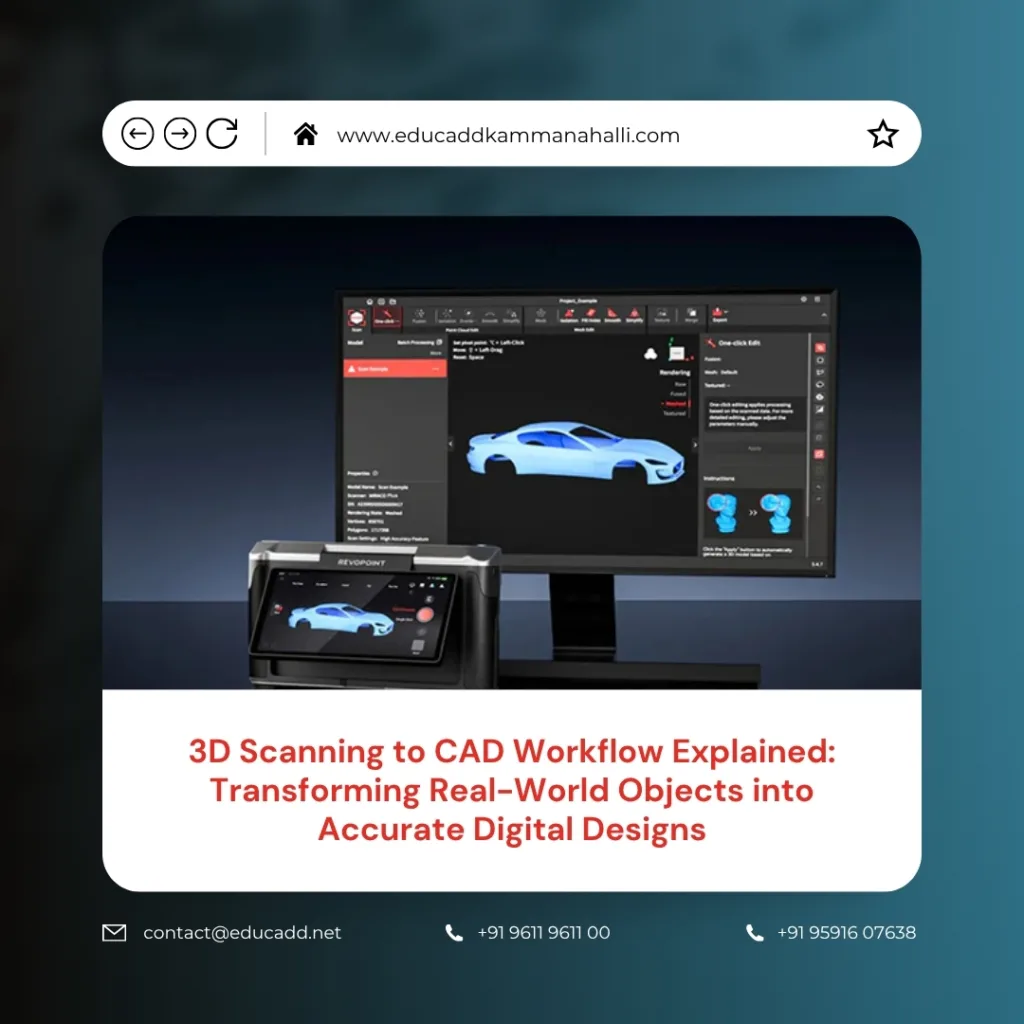
3D Scanning CAD Workflow
Moreover, this workflow simplifies reverse engineering, quality inspection, rapid prototyping, and product redesign. Since digital transformation drives modern industries, learning the 3D Scanning CAD Workflow process has become essential for engineering professionals and businesses seeking better efficiency and precision.
Understanding the Basics of 3D Scanning Technology
3D scanning is the process of capturing the shape, dimensions, and surface details of a physical object using laser, structured light, or photogrammetry technology. The scanner collects millions of data points from the object’s surface and generates a digital representation called a point cloud.
Unlike traditional measurement methods, 3D scanning provides extremely accurate data within a short period. As a result, industries use it to capture complex geometries that are difficult to measure manually. Furthermore, the technology reduces human error and speeds up the design process significantly.
Different types of 3D scanners serve different industrial needs. Handheld scanners offer portability and flexibility, while stationary scanners provide greater precision for industrial applications. Additionally, high-end scanners can capture even microscopic surface details with impressive accuracy.
Because industries increasingly require faster and more accurate digital workflows, 3D scanning technology continues to evolve rapidly. Today, many businesses integrate it directly into their product development and manufacturing systems.
What Is CAD and Why Is It Important?
Computer-Aided Design, commonly known as CAD, refers to software used to create precise digital models and engineering drawings. CAD software helps engineers design products, structures, machines, and components with high accuracy and efficiency.
The importance of CAD has grown tremendously because industries now depend on digital manufacturing and automation. Engineers use CAD models for simulations, analysis, prototyping, and production planning. Additionally, CAD allows easy modifications without rebuilding physical prototypes repeatedly.
When combined with 3D scanning, CAD becomes even more powerful. The scanned data provides the foundation, while CAD software converts that information into editable and manufacturable digital models. Consequently, organizations save both time and operational costs.
Popular CAD software tools include:
- AutoCAD
- SolidWorks
- CATIA
- Siemens NX
- Fusion 360
Each platform offers specialized features for different industries and engineering requirements. Therefore, professionals choose software based on project complexity and workflow needs.
The Importance of the 3D Scanning CAD Workflow
The 3D Scanning CAD Workflow bridges the gap between physical objects and digital engineering environments. This process enables organizations to create accurate digital replicas of existing products and structures without relying on outdated manual measurement methods.
Many industries use this workflow for reverse engineering, especially when original design files are unavailable. For example, manufacturers often scan old machine parts and recreate them digitally for modernization or replacement.
Additionally, this workflow improves product quality and accelerates innovation. Since designers can analyze highly accurate models, they detect errors earlier in the development stage. Consequently, businesses reduce production failures and material waste.
The workflow also supports faster collaboration between teams because digital CAD models can be shared instantly across departments and locations. Therefore, companies achieve better communication and improved project efficiency.
Step 1: Preparing the Object for Scanning
Proper preparation plays a critical role in achieving accurate scanning results. Before scanning begins, professionals inspect the object carefully to identify reflective surfaces, transparent materials, or hidden geometries that may affect data capture quality.
In many cases, technicians apply matte spray coatings to shiny surfaces because reflective materials interfere with laser and light-based scanning systems. Similarly, markers may be placed on large objects to improve scanner tracking and alignment accuracy.
The scanning environment also matters significantly. Stable lighting conditions and vibration-free surfaces help ensure consistent data collection. Furthermore, technicians position the object strategically to minimize blind spots during scanning.
Preparation tasks generally include:
- Cleaning the object surface
- Removing unnecessary obstacles
- Positioning the object properly
- Applying reference markers if required
Although preparation may appear simple, it directly influences the final model quality and overall workflow efficiency.
Step 2: Capturing Data with a 3D Scanner
Once preparation is complete, the scanning process begins. The operator uses a 3D scanner to capture surface geometry from multiple angles. As the scanner moves around the object, it records millions of measurement points to create a detailed point cloud.
Modern scanners perform this process quickly and accurately. Handheld scanners allow greater flexibility for complex shapes, while fixed scanners offer exceptional precision for industrial components.
During scanning, operators monitor the data in real time to identify missing areas or alignment issues. If gaps appear, additional scans are captured immediately to ensure complete coverage. Consequently, the final dataset becomes more reliable and accurate.
Different scanning methods provide unique advantages. Laser scanners deliver high precision for industrial applications, whereas structured light scanners work efficiently for medium-sized objects. Photogrammetry, on the other hand, uses photographs to reconstruct 3D geometry at lower costs.
Because data quality determines the success of the entire workflow, professionals prioritize accurate and complete scanning procedures.
Step 3: Processing the Point Cloud Data
After scanning, the raw point cloud data requires processing before CAD conversion begins. This stage involves cleaning, aligning, and optimizing the collected data to remove unnecessary noise and inconsistencies.
Software applications merge multiple scans into a unified digital model. During this process, technicians eliminate duplicate points, fix alignment issues, and close data gaps. As a result, the model becomes cleaner and easier to convert into CAD geometry.
Point cloud processing software often includes advanced tools for mesh generation and surface reconstruction. These tools transform scattered data points into connected polygon surfaces that resemble the actual object shape more clearly.
Moreover, professionals inspect the processed model carefully to verify dimensional accuracy. Even minor errors can create problems during CAD modeling and manufacturing stages. Therefore, quality control remains essential throughout this phase.
Efficient data processing improves workflow speed while maintaining model reliability. Consequently, organizations achieve better engineering outcomes and reduced rework costs.
Step 4: Converting Scanned Data into CAD Models
The conversion stage transforms processed scan data into editable CAD geometry. Engineers use specialized reverse engineering software to create surfaces, sketches, and solid models based on the scanned mesh or point cloud.
This step requires technical expertise because the software does not automatically generate perfect CAD models in every situation. Designers often rebuild features manually to ensure clean and manufacturable geometry.
The CAD conversion process typically includes identifying geometric features such as holes, curves, cylinders, and planes. Engineers then recreate these features using parametric modeling techniques.
Furthermore, the final CAD model must align accurately with the scanned data to maintain dimensional precision. Advanced software tools help compare the CAD model against the original scan to verify accuracy.
Once completed, the CAD model becomes fully editable and ready for manufacturing, simulation, analysis, or redesign purposes. Therefore, this stage forms the foundation for further engineering activities.
Reverse Engineering Applications in Modern Industries
Reverse engineering remains one of the most common applications of the 3D scanning to CAD workflow. Many companies use this process when original design files or technical drawings are unavailable.
For example, manufacturers often scan worn-out machine parts to recreate replacement components. Similarly, automotive companies scan legacy vehicle parts to restore classic models accurately.
The aerospace sector also relies heavily on reverse engineering for maintenance and component upgrades. Since aircraft components require extreme precision, 3D scanning helps engineers capture detailed geometries quickly and accurately.
Additionally, product designers analyze competitor products through reverse engineering to improve innovation and performance. This process enables businesses to study design structures and manufacturing techniques effectively.
Because reverse engineering accelerates product development and minimizes manual measurement efforts, it has become an essential industrial practice.
Quality Inspection and Accuracy Verification
Quality inspection represents another major advantage of the 3D scanning to CAD workflow. Industries use scanned data to compare manufactured components against original CAD models and identify deviations instantly.
Traditional inspection methods often require extensive manual measurements, which consume time and may produce inconsistent results. However, 3D scanning enables fast and highly accurate dimensional verification.
Inspection software generates color deviation maps that highlight dimensional differences between the manufactured part and the CAD design. Consequently, engineers detect defects quickly and make corrective decisions faster.
Industries such as aerospace, automotive, and medical manufacturing rely on precise quality inspection standards. Therefore, advanced scanning systems help maintain product consistency and regulatory compliance.
Moreover, accurate inspection reduces product recalls, improves customer satisfaction, and minimizes production waste. As a result, organizations achieve higher operational efficiency and stronger quality control systems.
Benefits of Using 3D Scanning to CAD Workflow
The growing popularity of this workflow comes from its numerous industrial advantages. Businesses adopting this technology often experience significant improvements in productivity, accuracy, and innovation.
One major benefit is time savings. Since scanning captures detailed geometry rapidly, engineers spend less time measuring and modeling manually. Additionally, digital workflows simplify modifications and design updates.
Another important advantage involves accuracy. Modern scanners capture complex geometries with exceptional precision, reducing engineering errors and improving manufacturing quality.
Key benefits include:
- Faster product development
- Improved dimensional accuracy
- Reduced material waste
- Better collaboration between teams
Furthermore, this workflow supports digital archiving and long-term design preservation. Companies can store digital models for future modifications, repairs, or redesign projects.
Because industries increasingly prioritize automation and efficiency, the adoption of scanning-to-CAD workflows continues to rise globally.
Challenges Faced During the Workflow Process
Despite its advantages, the 3D scanning to CAD workflow also presents certain challenges. One common issue involves handling reflective or transparent surfaces, which can create scanning inaccuracies.
Large datasets represent another challenge because high-resolution scans generate massive amounts of data. Processing such files requires powerful computing systems and advanced software capabilities.
Additionally, converting complex organic shapes into editable CAD models may demand significant manual effort and technical expertise. Automated software tools continue to improve, yet human intervention remains essential for achieving high-quality results.
Cost can also become a limitation for smaller organizations. High-end scanners and reverse engineering software often require substantial investment. However, the long-term efficiency gains usually justify the expense.
Training and skill development remain equally important. Professionals must understand scanning principles, data processing techniques, and CAD modeling practices to execute workflows successfully.
Industries Benefiting from 3D Scanning to CAD Technology
Many industries now depend on this workflow to improve productivity and innovation. The automotive industry uses scanning for vehicle design, inspection, and aftermarket customization projects.
In aerospace, engineers scan aircraft components for maintenance, inspection, and reverse engineering purposes. Since precision is critical, scanning technology helps ensure accurate component replication.
The medical sector also benefits significantly. Doctors and biomedical engineers use 3D scanning to create prosthetics, implants, and customized medical devices tailored to individual patients.
Architecture and construction firms scan buildings and infrastructure for renovation, restoration, and digital documentation projects. Similarly, manufacturing companies use scanning for tooling, mold design, and production optimization.
As technology becomes more accessible, additional industries continue adopting scanning-to-CAD workflows to improve operational efficiency and digital transformation efforts.
Future Trends in 3D Scanning and CAD Integration
The future of 3D scanning to CAD technology looks extremely promising. Artificial intelligence and automation continue improving scan processing and CAD conversion capabilities.
Cloud computing now enables teams to share and process large scan datasets remotely. Consequently, global collaboration becomes easier and more efficient.
Real-time scanning and automated CAD generation technologies are also advancing rapidly. These innovations reduce manual intervention and accelerate engineering workflows significantly.
Additionally, augmented reality and virtual reality integration will create more immersive design and inspection experiences. Engineers may soon interact with scanned models directly within virtual environments.
As Industry 4.0 expands globally, digital manufacturing ecosystems will increasingly rely on accurate scanning and CAD technologies. Therefore, professionals with expertise in these workflows will remain highly valuable across multiple industries.
Conclusion
The 3D Scanning CAD Workflow has transformed the way industries capture, analyze, and recreate physical objects. By combining advanced scanning technologies with powerful CAD software, businesses achieve faster product development, improved accuracy, and enhanced innovation.
From reverse engineering and quality inspection to manufacturing and medical applications, this workflow supports a wide range of industrial processes. Moreover, it reduces manual effort, minimizes design errors, and accelerates digital transformation initiatives.
Although certain challenges exist, ongoing technological advancements continue improving workflow efficiency and accessibility. As industries embrace automation and smart manufacturing, the importance of accurate digital modeling will continue growing rapidly.
Professionals who understand the 3D scanning to CAD process gain valuable technical skills that are increasingly demanded across engineering and manufacturing sectors. Therefore, mastering this workflow not only improves operational efficiency but also creates exciting opportunities in the future of digital engineering.

